Real-Time Conversations on Your Site and WhatsApp
Answer web chat and WhatsApp from one operator inbox, while email and other channels arrive as helpdesk tickets in the same workspace. Choose per channel whether the AI Agent answers first, and hand off to a human with the full conversation attached.
Be wherever your customers are
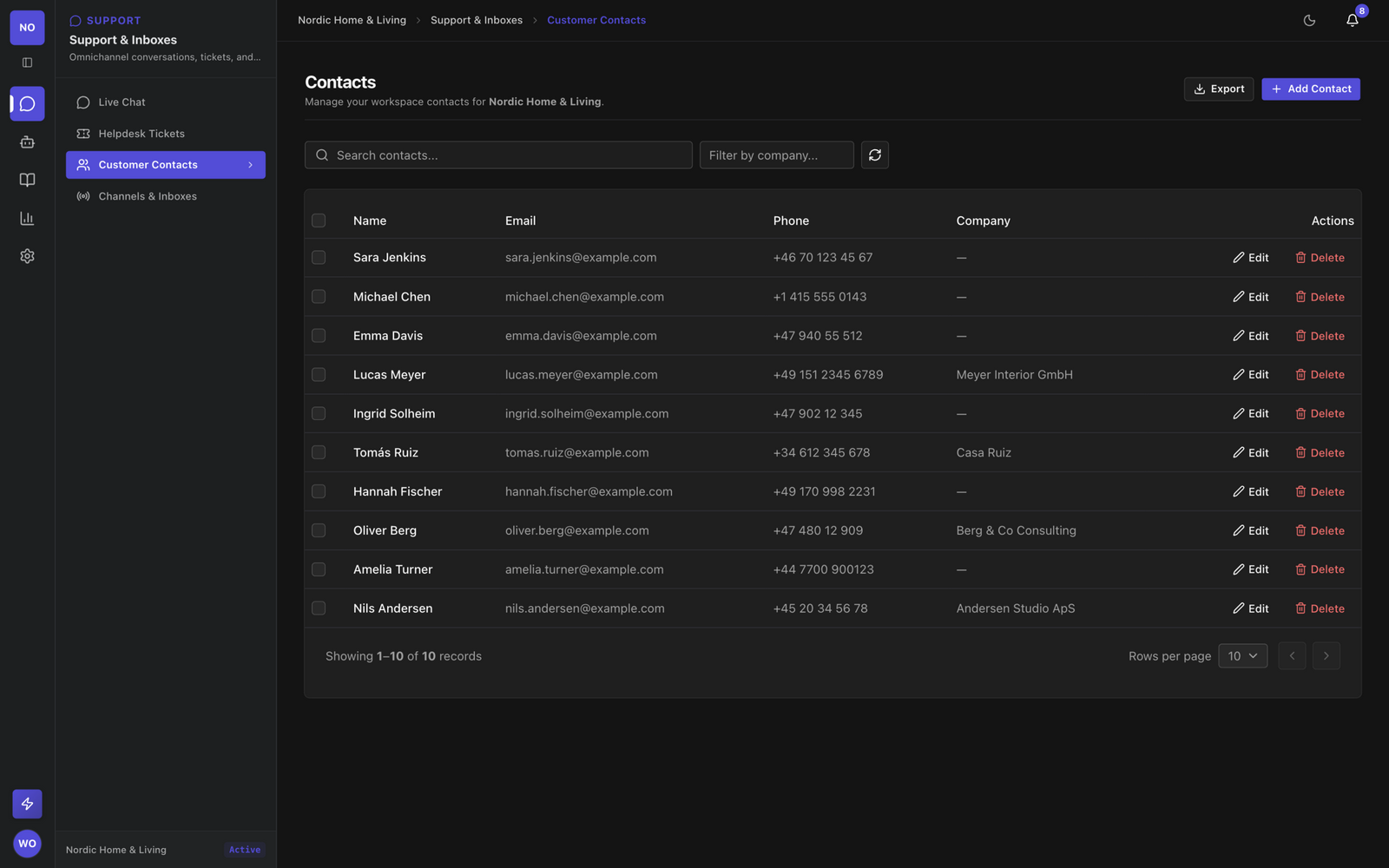
Web chat and WhatsApp land in the live chat inbox, the other channels become helpdesk tickets, and all of it joins one customer history.
Web Chat Widget
Add the branded chat widget to your site with one line of code. Conversations carry over when a visitor comes back later.
WhatsApp Business
Native integration with the Meta WhatsApp Cloud API. Reach billions of users securely on their preferred messaging application.
SMS & Email
Twilio SMS and email messages arrive as helpdesk tickets, and your replies go back out on the same channel.
All eight channel types, chat and ticket, in one workspace:
Automation that knows its limits
Bind an AI Agent to a web chat or WhatsApp channel and choose one of four routing modes. Guardrails (escalation keywords, maximum AI turns, and a knowledge relevance threshold) are yours to tune per agent.
Business Hours
A weekly schedule in your timezone with an offline status API. Show "we're away" and capture messages instead of leaving customers hanging.
Offline Capture
When everyone is away, the widget collects the visitor's name, email, and message, and queues the chat for your team.
Canned Responses
Shared and personal reply templates with variable interpolation, one keystroke away in the composer.
AI Copilot Sidecar
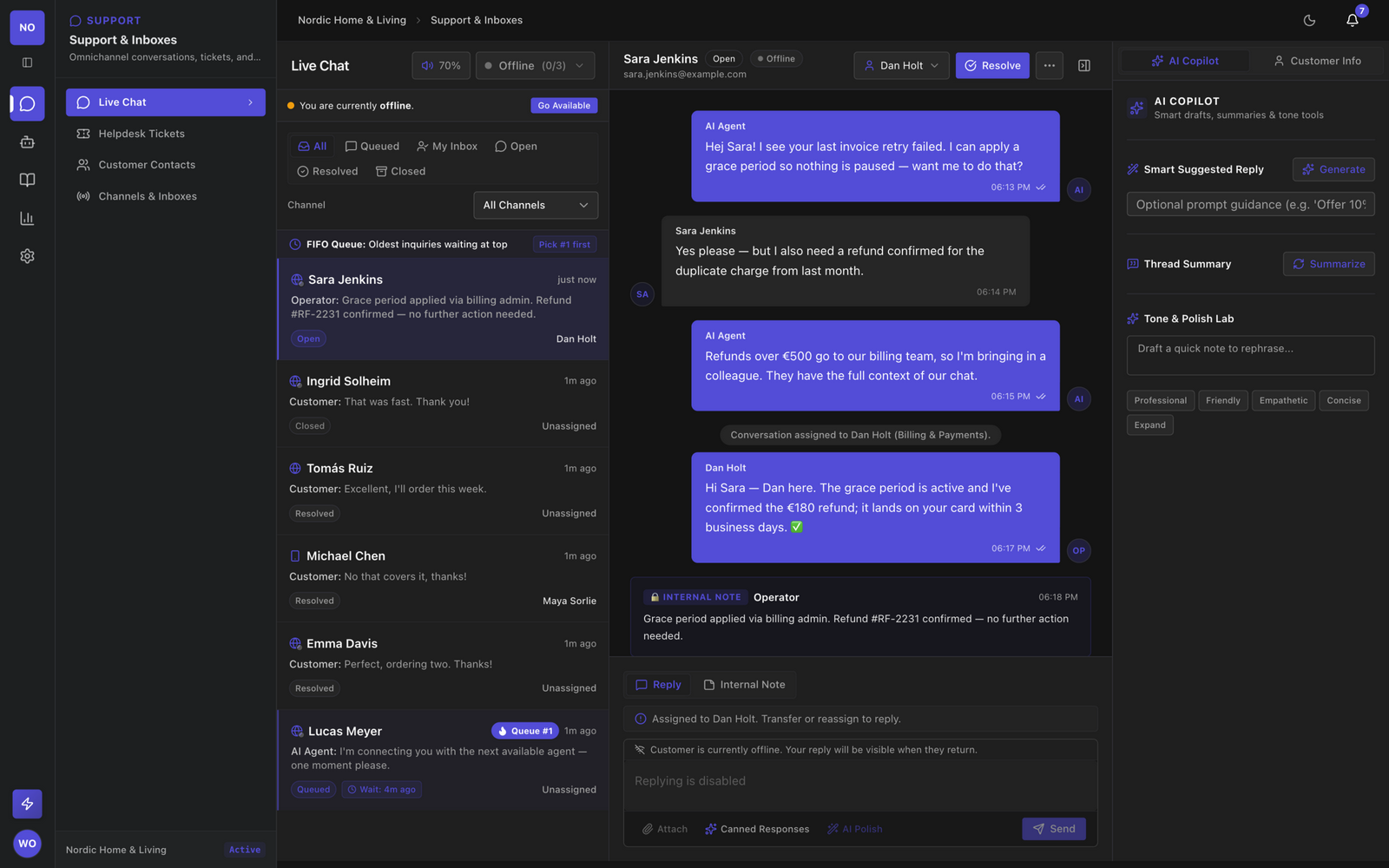
While operators handle the conversation, the AI suggests replies, summarizes threads, and rephrases tone.
Operator Inbox with real-time routing
Equip your team with a workspace built for speed. Chats land in a FIFO queue operators can claim with one click, or are auto-assigned by real-time availability, workload, and department rules for the fastest response times.
-
Least-loaded operator routing distributes incoming chats fairly while respecting configurable capacity caps.
-
Operator presence tracking status stays in sync across available, busy, away, and offline states.
-
Department-based routing instantly direct billing queries to Finance or technical bugs to Engineering.
Everything an operator needs mid-conversation
From widget branding to canned replies and transfers, the details that keep a live chat moving.
Real-time Typing Indicators
See when a customer is typing, and let them see when you are. Bi-directional indicators eliminate awkward pauses and speed up resolutions.
CSAT Surveys
Automatically trigger in-chat Customer Satisfaction (CSAT) surveys immediately after a resolution to capture accurate sentiment data.
Custom Widget Branding
Set the widget's brand colors, avatar, theme, position, and welcome message to match your site.
Operator Presence
Global synchronization of operator statuses. Route requests away from operators who are on a break or managing maximum capacity.
Continuous History
Chats are never lost. When a visitor comes back to your site, the widget picks up the same conversation where it left off.
Transfers
Hand a chat to another operator with a note on why, or reassign it, without losing the thread.
Channel Types, Chat and Ticket
AI Routing Modes
Assignment Algorithms
Line to Deploy the Widget
Ready to connect with your customers in real-time?
Embed the widget, bind an AI Agent, and let your team focus on the conversations that matter.