A Helpdesk That Keeps Your SLA Promises
Every request becomes a ticket with an owner, a priority, and a deadline. Countdown timers respect your business hours, and routing puts each ticket in front of the right person.
See what needs attention first
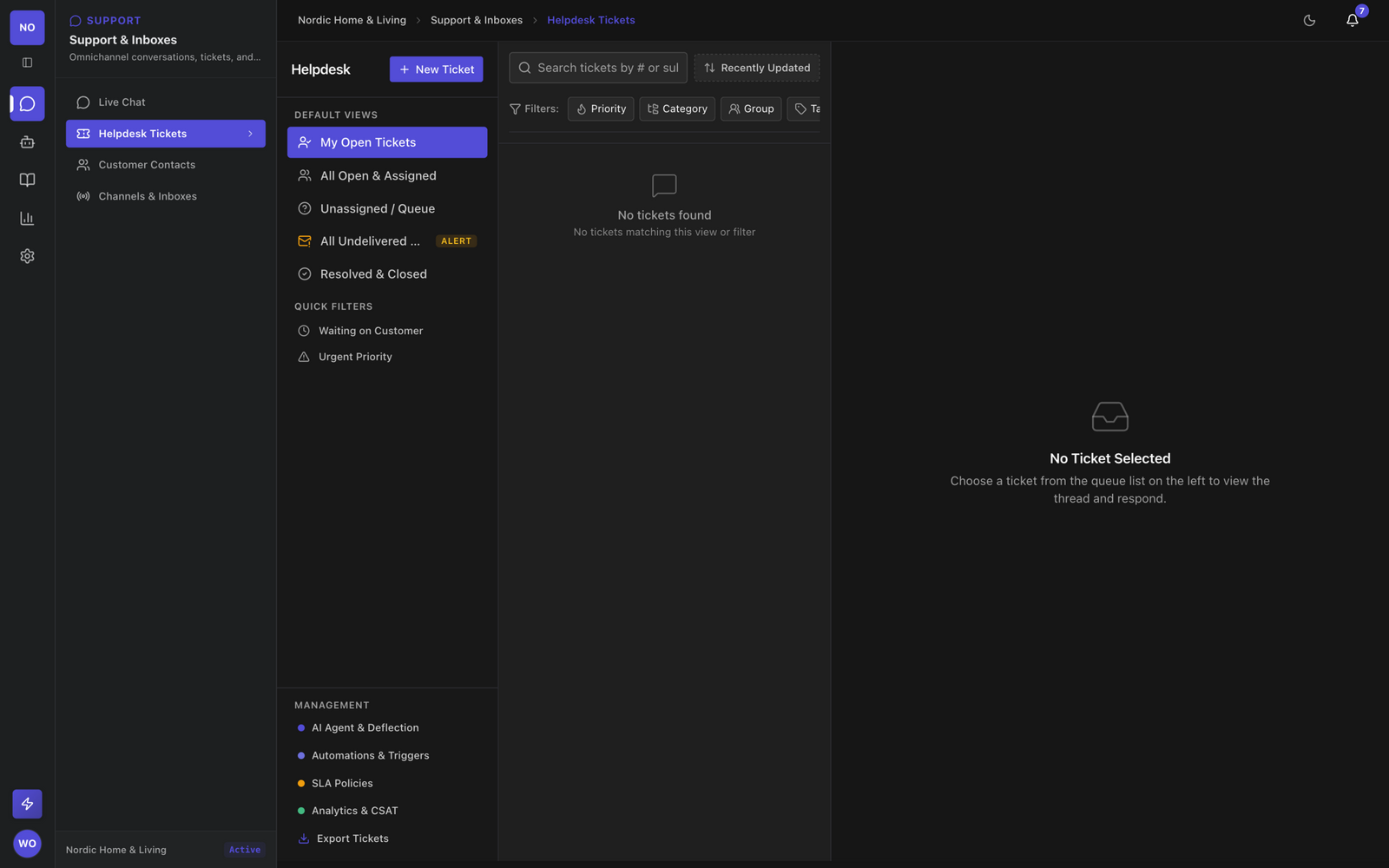
No request sits unanswered because it landed in the wrong inbox. Tickets move through clear states, urgent ones rise to the top, and each operator sees their own queue.
-
Structured Lifecycle Move tickets through clear states: open, pending, resolved, and closed, maintaining full visibility of your team's current workload.
-
Priority Enforcement Automatically categorize tickets by low, medium, high, or urgent priorities, ensuring critical issues bypass the standard queue.
-
Built-in Views & Filters Jump between my open tickets, unassigned, waiting on customer, and urgent queues, then filter by priority, group, or tag.
Collaborate right inside the ticket with Dual Threads
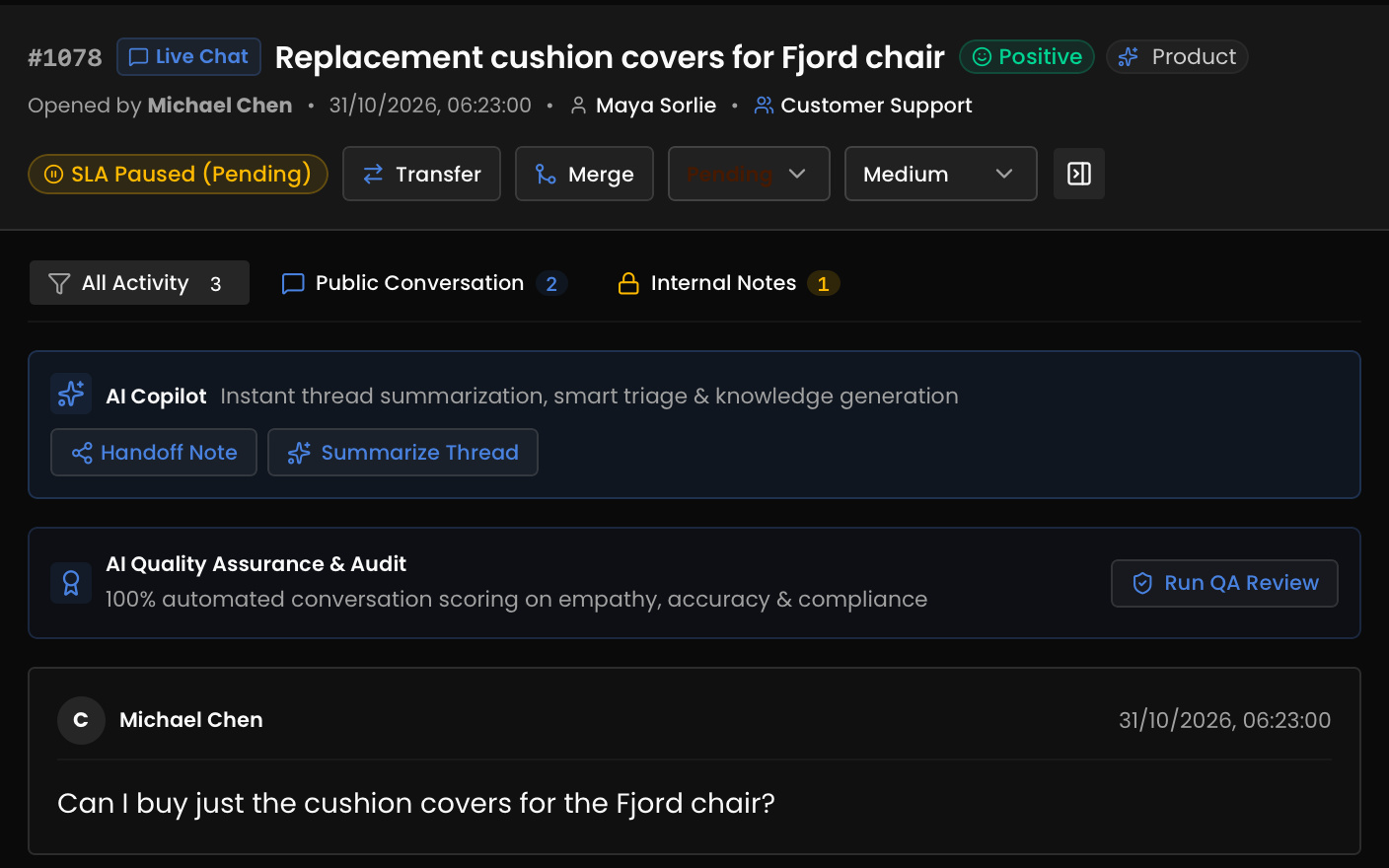
Stop using external chat apps to discuss customer tickets. Keep the context right where the action happens.
-
Private Internal Notes Leave secure, operator-only notes directly in the ticket timeline. The customer only sees what you explicitly send as a public reply.
-
Assignments & Transfers Need an engineer's eyes? Assign or transfer the ticket with a note, and the new owner is notified.
-
Collision Detection Never send duplicate replies again. Real-time indicators show when another operator is viewing or typing on the same ticket.
Know before a deadline is missed
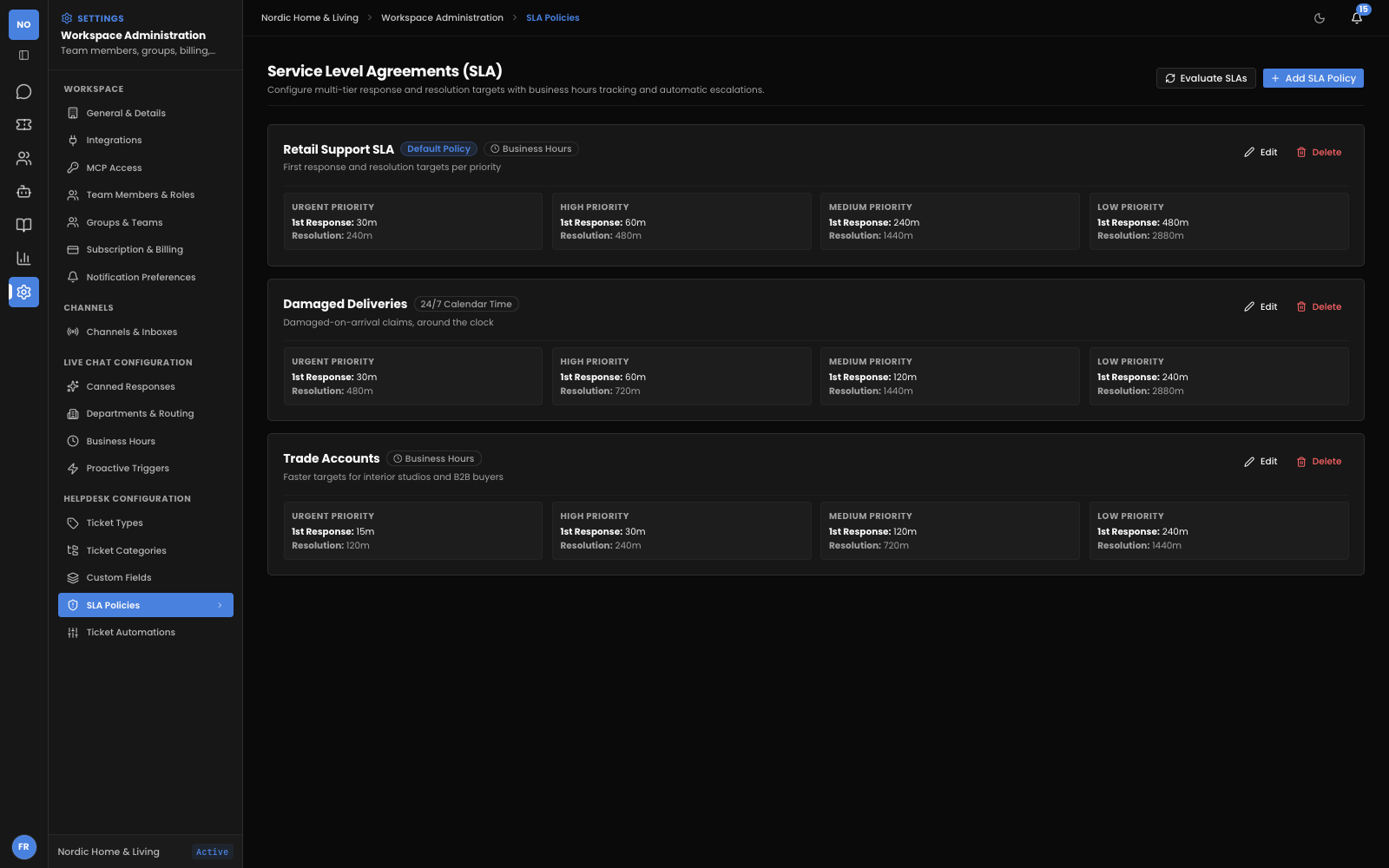
Set response and resolution targets per priority. Timers count only your working hours and pause while you wait on the customer, so a breach means your team really was late.
-
Business Hours Processing Set a weekly schedule in your workspace timezone. The SLA countdown only runs during those hours, so nights and weekends don't count.
-
Pre-breach Escalations Don't wait until a commitment is broken. Get an alert when a deadline is close (a quarter of the target, at most an hour out), and let escalation rules raise the priority or move the ticket to another department.
-
Pause & Resume Timers pause while you wait on the customer and resume when they reply, so breach alerts reflect the time your team actually controls.
-
Comprehensive Metrics Track first response time, resolution time, and SLA attainment and breaches, broken down by group and agent.
Everything else a growing support team needs
The day-to-day tools that keep a queue moving, all included on every plan.
Omnichannel Intake
Email, Telegram, Messenger, Instagram, SMS, and custom webhooks open tickets in one queue, and escalated web chats join them. Web chat and WhatsApp conversations land in the live chat inbox.
Action Macros
Execute complex, multi-step actions and insert pre-written canned responses with a single click or keyboard shortcut.
Group Routing
Distribute workloads effectively using Round-Robin, Least-Loaded, or Manual Pull strategies across internal workspace groups.
Automation Rules
Trigger actions based on time or specific events. Automatically close stale tickets or escalate those that have been waiting too long.
Collision Detection
Prevent duplicate work with visual indicators that show when another team member is actively viewing or typing on a ticket.
AI Triage
Every new ticket gets an intent, sentiment, urgency score, and language, and urgent or angry ones move up in priority.
Ticket Merging
Duplicates happen. Merge related tickets into one thread with the full history and correspondents preserved.
Custom Fields, Types & Templates
Reorderable ticket types, categories, and custom fields, plus industry templates to bootstrap your workspace structure in minutes.
Public CSAT Pages
Post-resolution satisfaction surveys with your own custom questions, served on a shareable public rating page per ticket.
Contact 360 & Export
A complete customer summary on every ticket, and one-click CSV export of your queue for reporting anywhere else.
Intake Channels
Thread Types: Public & Internal
Priority Levels with SLA Targets
Ticket Audit Trail
Ready to bring order to your support operations?
Structured tickets, honest SLA timers, and AI that does the triage, on every plan including Free.