Every conversation, measured in one hub
Live chat and helpdesk metrics in two tabs, with workspace-wide AI deflection, so you can see what AI resolves, what is slipping, and which questions it handed to your team.
Executive Overview
AI Deflection
Conversations resolved without a human
Escalation Frequency
How often AI hands off to operators
Response Times
First response and resolution trends
CSAT
Post-conversation satisfaction ratings
One hub for chats and tickets
A Live Chat tab and a Helpdesk tab, with the same numbers your team sees in-app.
Live Chat Analytics
Conversation volume and trends, first response times, operator availability and load, and CSAT.
Helpdesk Analytics
Ticket volume by source and priority, SLA attainment and breaches, resolution times, group and agent workload, and CSAT.
AI Deflection & Content Cues
In the Live Chat tab: workspace-wide AI deflection and escalation rates, average AI turns, and the customer questions AI handed to a human.
Analytics that tell you what to build next
Content cues list the customer questions your AI handed to a human, a likely sign of a missing article. The AI Knowledge Gap Radar suggests topics from recent tickets and drafts the missing articles for you.
- Questions from AI-escalated chats, with how often each came up
- 1-click AI draft articles from suggested topics
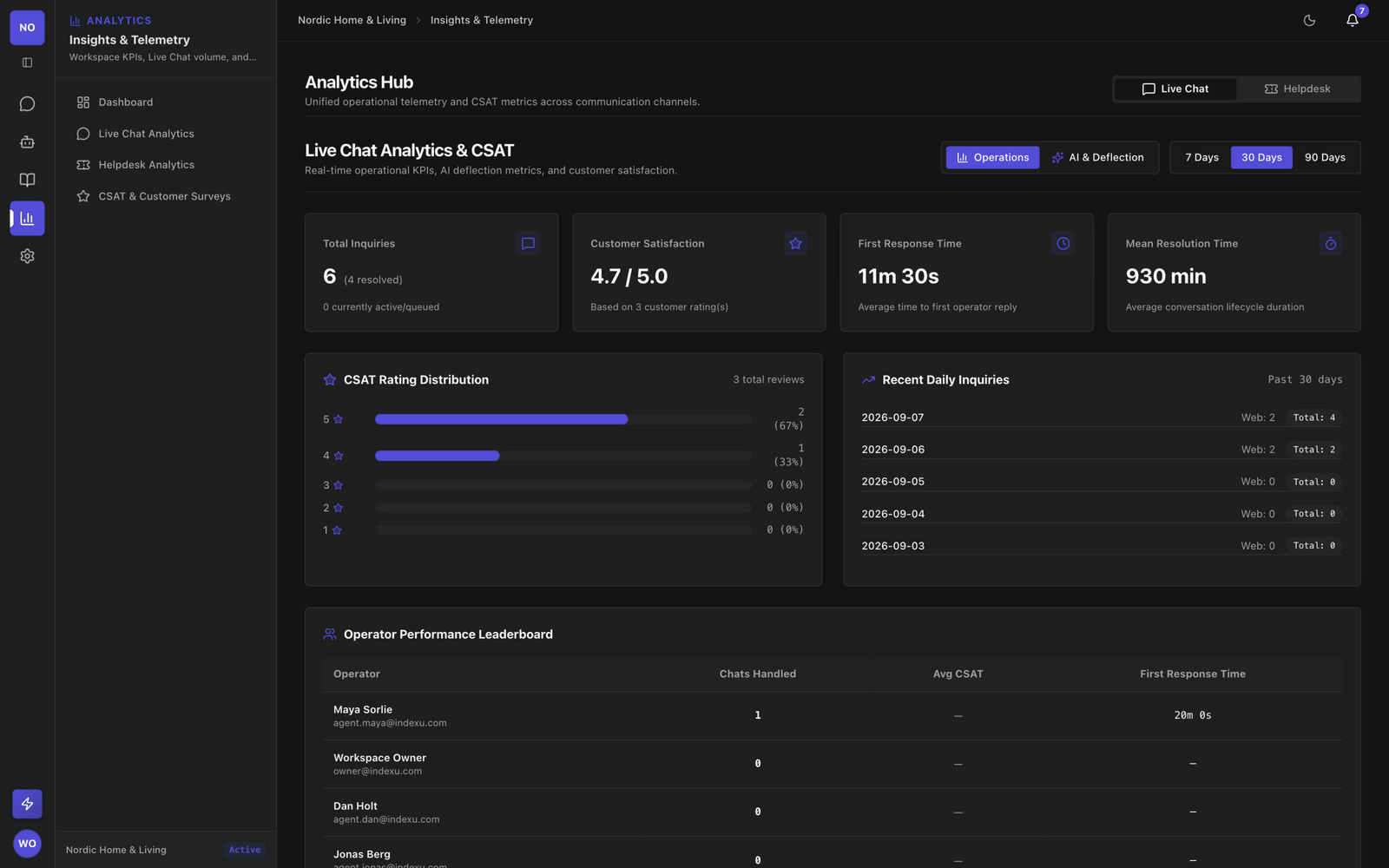
Operator workload, at a glance
See active, assigned, and resolved conversations and the availability state of each operator. Rebalance before queues build up.
ActionRadar: the next best action
The workspace dashboard turns raw metrics into a prioritized work queue: breached SLAs first, then unassigned chats, then knowledge gaps worth closing.
Measure what your support actually does
The Unified Analytics Hub is included on every plan, including Free.