Automate Complex Support Flows Without Writing Code
Build intelligent, multi-step conversational journeys using a drag-and-drop node graph. Test your flows in real-time with our interactive simulation runner, complete with step-by-step execution tracing.
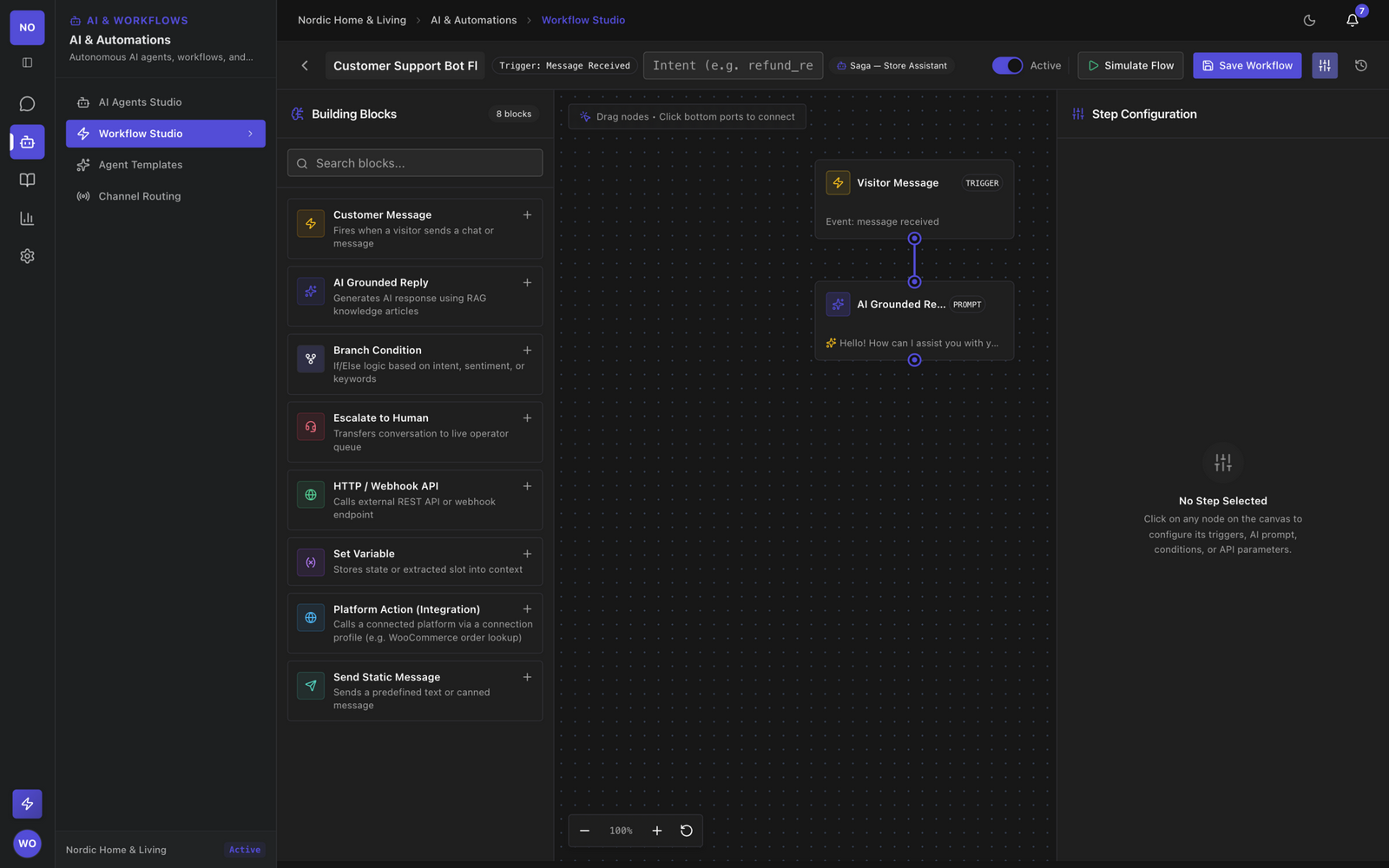
A comprehensive node library for any scenario
Drag-and-drop node graph canvas
Design intricate conversation logic visually. Connect triggers to conditions, call external APIs, and use AI models, all without writing a single line of code.
-
Infinite Canvas pan and zoom across a limitless workspace for complex flows.
-
Intuitive Connections drag ports to connect nodes and define execution paths.
-
Live Validation get instant feedback on disconnected nodes or missing configurations.
Interactive in-browser simulation runner
Test your workflows before publishing. The simulation runner lets you interact with your AI Agent while tracking the exact path taken through the node graph. Every workflow keeps execution stats (total, successful, and failed runs) and can be attached to any AI Agent as its default automation.
-
Step-by-step Execution Tracing see exactly which nodes fire and in what order as you interact.
-
Variable Inspection monitor state changes, user inputs, and API responses in real-time.
AI-to-human escalation with context
When automation hits a dead end, route the conversation to a live human operator. Our AI generates a briefing summary so operators can pick up exactly where the AI Agent left off.
-
Smart Routing route to specific departments based on the variables collected by the flow.
-
AI Briefing Summaries operators see a concise summary of the AI Agent conversation, avoiding customer repetition.
Everything you need to automate support
Powerful features designed to build, test, and deploy intelligent workflows in minutes.
Template Library
Don't start from scratch. Use pre-built templates for common flows like onboarding, refund processing, or FAQ routing.
Version History
Safely iterate on your flows. Automatically save versions, view changelogs, and rollback to previous states instantly.
Webhook Actions
Connect your flows to external systems. Trigger HTTP requests to sync data with your CRM, billing system, or custom APIs.
Complex Condition Logic
Build sophisticated multi-branch logic based on user attributes, conversation history, or API payload responses.
AI Generation Nodes
Infuse generative AI directly into your flows to extract structured data from free-text inputs or dynamically rewrite responses.
Graceful Human Handoff
Always provide an escape hatch. Automatically route stuck users to live agents with full context of the AI Agent interaction.
Node Types
Lines of Code
Trigger Types
Avg Build Time
Ready to automate your support workflows?
Stop writing custom scripts. Build visual automation flows, simulate them in-browser, and bind them to your AI Agents.