Deploy AI Agents that resolve, route, and know when to escalate
Run multiple AI Agents per workspace, each with its own persona, language, knowledge scope, and channels. You decide exactly when AI answers and when a human takes over.
No credit card required. Free plan includes the full AI Agent Studio.
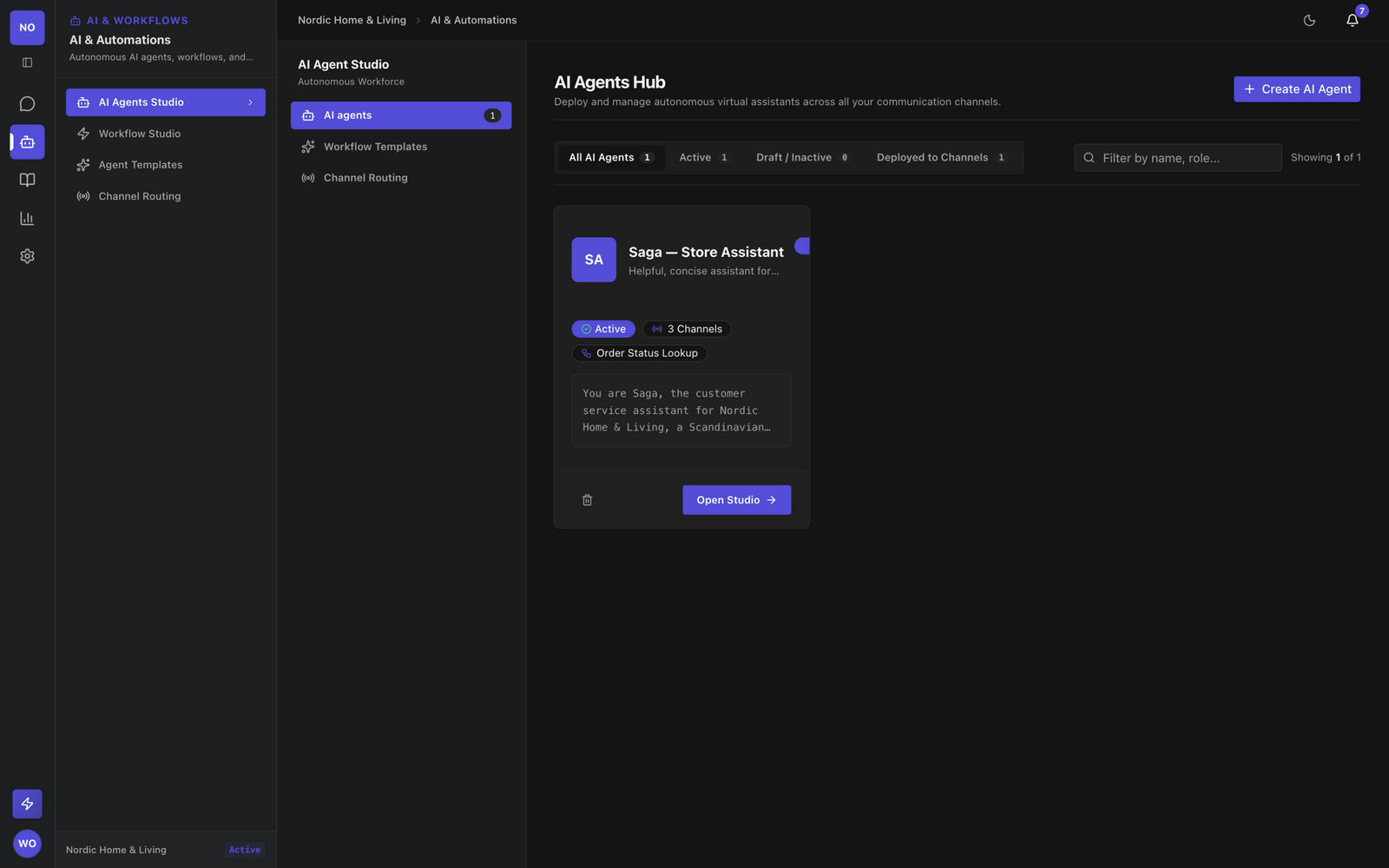
One workspace. Many AI Agents.
Spin up a specialized AI Agent for each job (a billing specialist, an onboarding guide, a technical troubleshooter) and route them to the right channels.
Its Own Persona
Each AI Agent has its own name, avatar, system prompt, welcome message, and language, so it sounds like part of your team, not a generic assistant.
Its Own Knowledge
Ground each agent in your entire knowledge base or restrict it to specific RAG categories, so answers stay accurate and on-topic.
Its Own Channels
Bind an AI Agent to any channel (a web chat widget, a WhatsApp number, a Telegram channel), each with its own routing mode.
Configure everything, without code
The Build tab gives you full control over how your AI Agent thinks, answers, and escalates.
Instructions
Write the system prompt that defines your agent's behavior, tone, and policies. Use the prompt template library or start from a persona template.
Knowledge Grounding
Scope the agent to all knowledge or to specific RAG categories. Answers are retrieved with hybrid pgvector search and cited, so the agent only speaks from your content.
Workflows
Attach Visual Workflow Studio automations for structured flows (refunds, lead capture, account lookups) and pick a default workflow the agent can trigger.
Configurations
Set welcome and fallback escalation messages, language, confidence threshold (default 0.70), max AI turns per conversation, and escalation keywords.
You decide when AI answers
Every channel binds an AI Agent and one of four routing modes, so automation never oversteps.
AI First
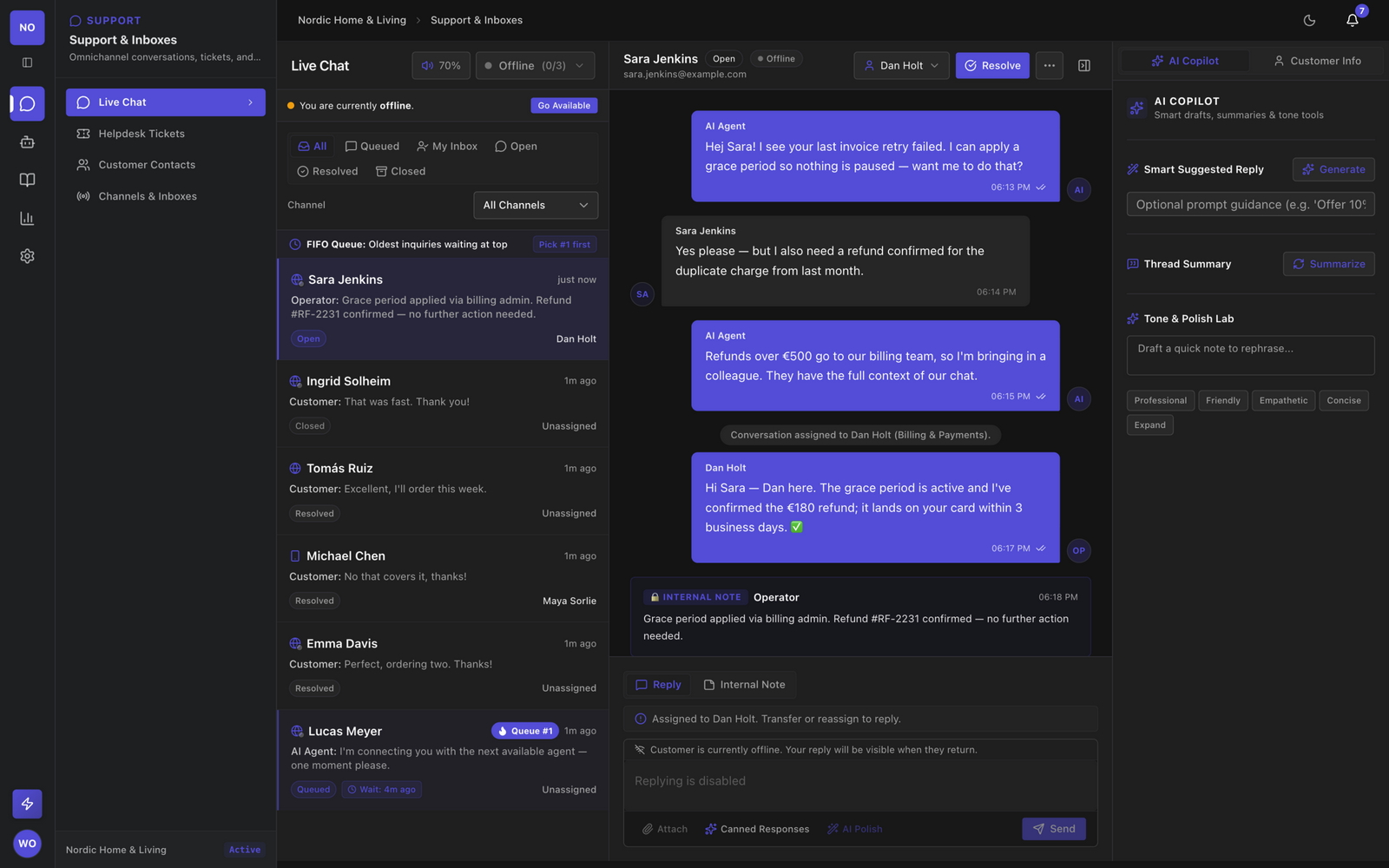
The AI Agent handles every conversation from the first message and escalates when confidence drops or the customer asks for a human.
Human First
Conversations land with your operators. The AI Agent stays available as a copilot until you hand one over.
Off-Hours AI
Your team answers during business hours; the AI Agent takes over nights, weekends, and holidays.
Disabled
Pure human support on that channel. The AI Agent is parked, not deleted.
Plus safety nets you configure per agent: escalation keywords, automatic escalation on negative sentiment, and a maximum number of AI turns per conversation.
Try it like a customer, before customers do
The Test tab embeds your real web chat widget in the studio. Send messages, watch the agent retrieve and cite knowledge, trigger escalations, and tune the threshold until it behaves.
- Chat with the live agent in a sandboxed widget
- See knowledge retrieval and citations in action
- Verify escalation keywords and handoff behavior
- Reset the conversation and iterate in seconds
Paste before </body> on your site:
<script
  src="https://app.indexu.com/widget/indexu-chat.js"
  data-workspace-key="pk_live_..."
  data-base-url="https://app.indexu.com"
  async defer>
</script>
Live on your site in one line
Generate a secure public key per channel, allow-list your domains, and paste one script tag. Style the widget with the visual editor (colors, theme, position, greetings) with no redeploy needed.
Prefer another surface? The same AI Agent can serve WhatsApp, Telegram, Facebook, Instagram, Twilio SMS, email, or custom webhooks. Each channel keeps its own key and routing mode.
Start from templates
Skip the blank page with the persona and workflow template library: prebuilt agents for support, sales, IT helpdesk, and more, ready to customize.
Handoff that keeps context
When the AI Agent escalates, the human operator receives the full dialogue, the AI's summary, and the detected intent. Customers never repeat themselves.
Build your first AI Agent today
The full AI Agent Studio is included on every plan, including Free.