A Branded Help Center Your Customers Will Actually Use
Give customers a self-service Help Center styled to match your brand, with article suggestions that help them before they open a ticket.
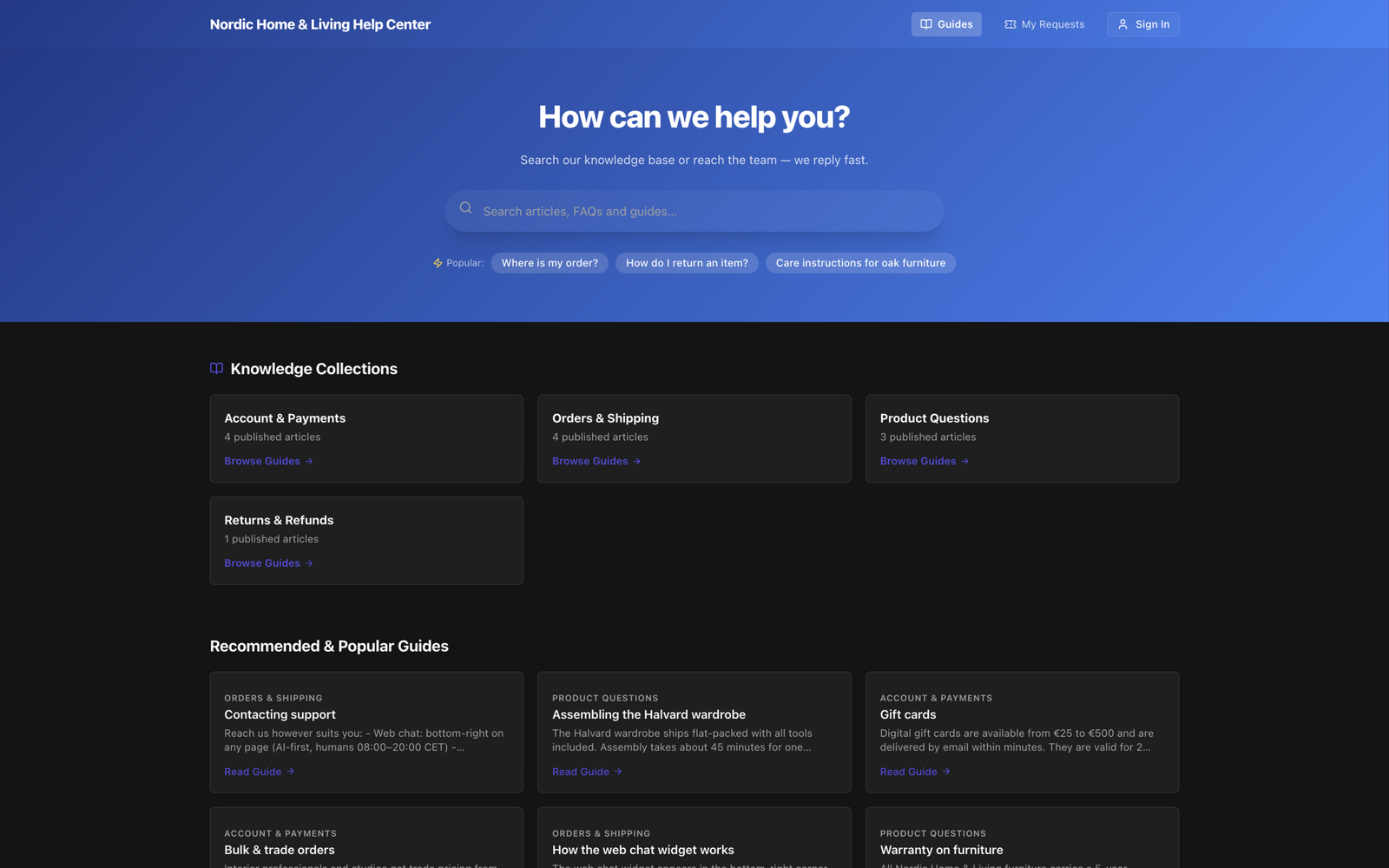
Your brand, front and center.
Don't settle for a generic support portal. The Indexu Client Portal gives you full control over the look and feel, ensuring your customers have a consistent brand experience from your main website to your help center.
-
Custom Themes & Colors Set your brand color and gradient, upload light and dark logos and a favicon, and add custom CSS to match your design.
-
Header & Footer Links Add your own navigation links, footer links, and footer text so the Help Center sits naturally next to your main site.
Stop tickets before they start.
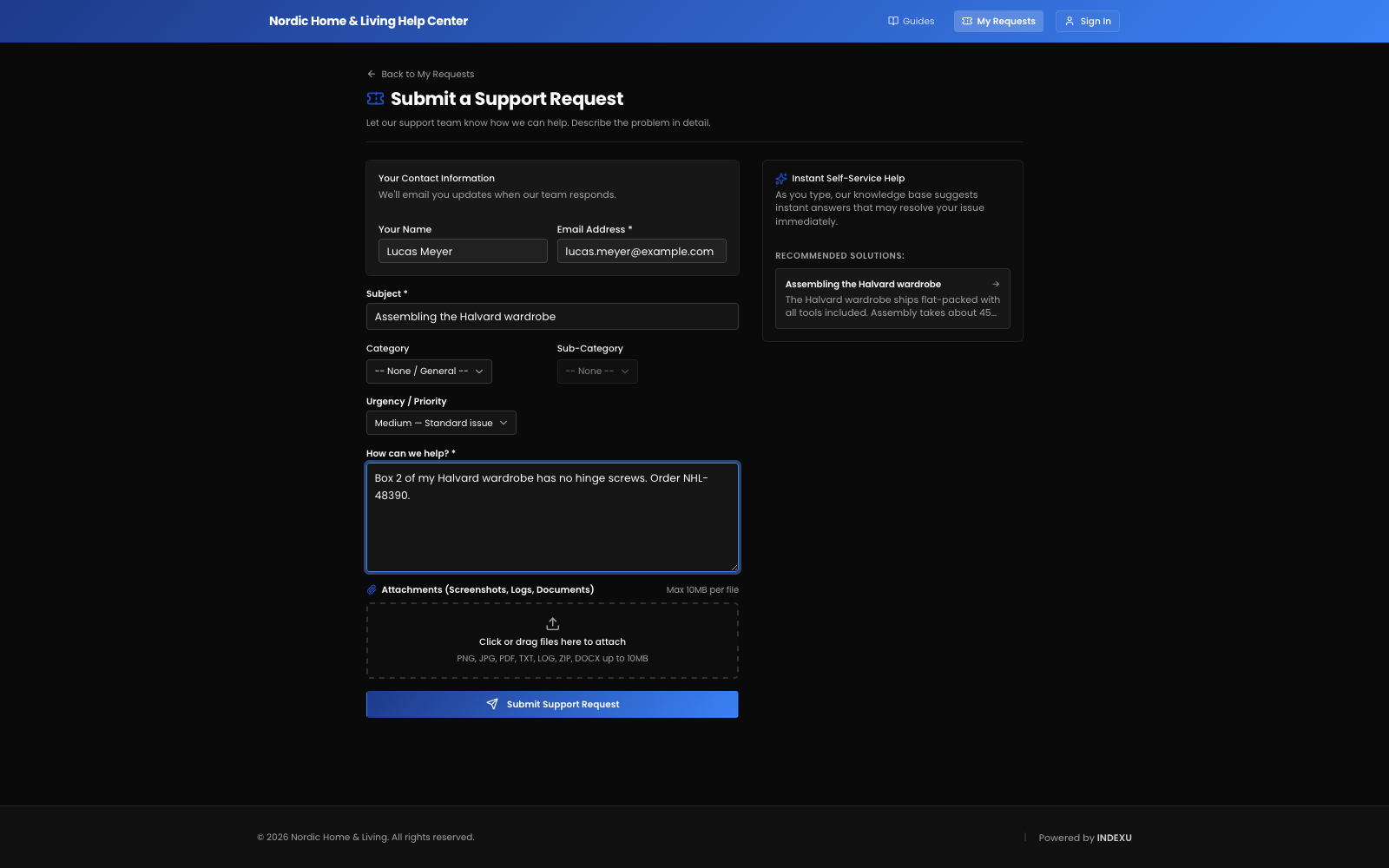
A great help center shouldn't just exist; it should actively work to reduce your support load. Indexu's smart deflection features intercept customers right as they type out their problem.
-
Hybrid Search Combines meaning-based and keyword search, so loosely worded questions still lead to the right article.
-
Ticket Deflection Overlays As users type in the contact form, relevant articles are suggested automatically, often solving their issue before they hit submit.
Frictionless access for your customers.
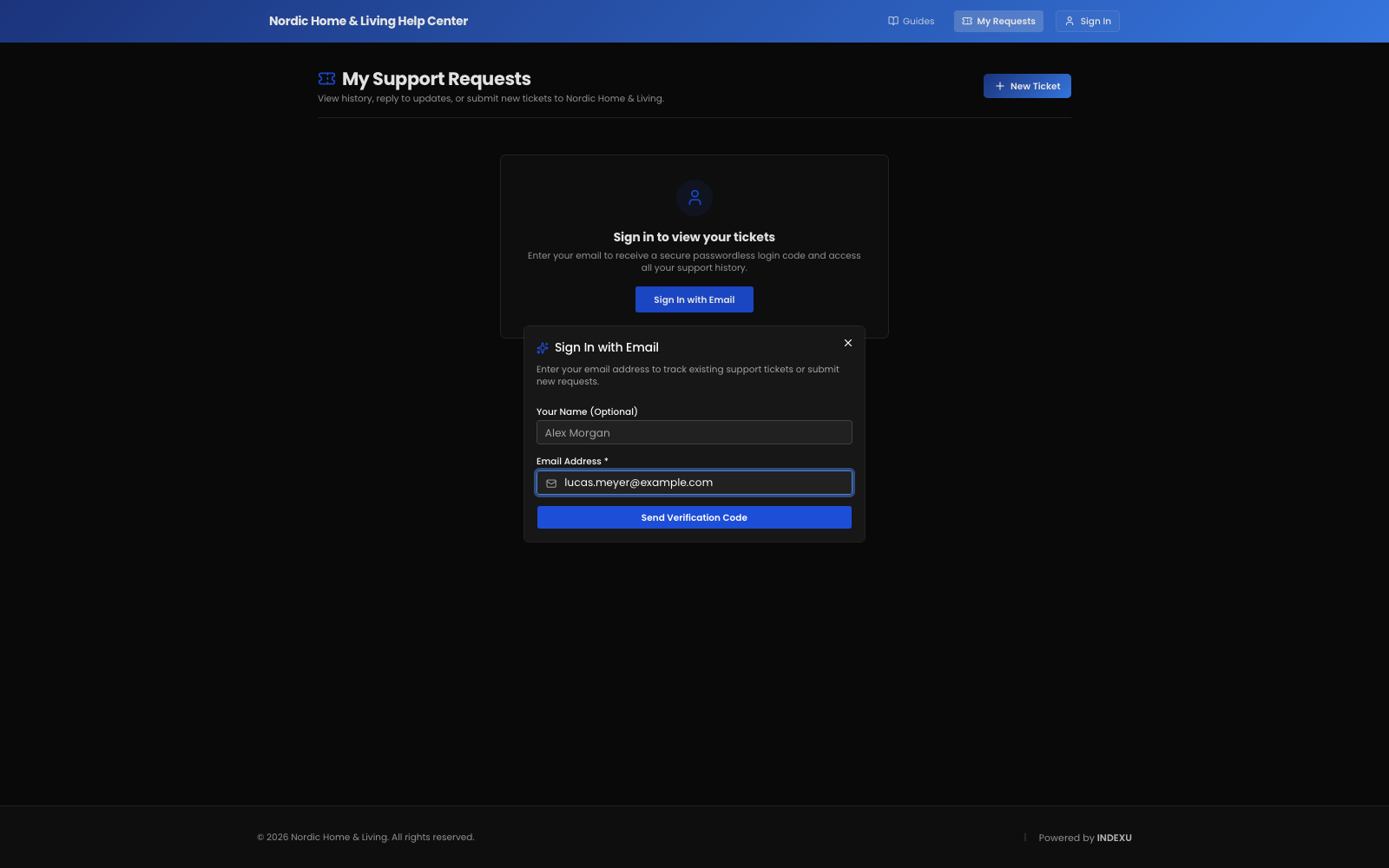
Your customers already have too many passwords to remember. Indexu Client Portal uses one-time email codes and signed ticket links, so they can view their ticket status and history without creating an account.
-
Passwordless Sign-In Customers enter their email and get a one-time code that expires in 15 minutes. Ticket emails carry signed links straight to the ticket.
-
Complete Ticket Tracking Signed-in customers can view their full ticket history, check status updates, add file attachments, and reply directly from the portal.
Everything you need for exceptional self-service
Built to help your customers self-serve and save your team valuable time.
Multi-Brand Portals
Each workspace gets its own branded Help Center. Run several brands by giving each one a workspace, all reachable from one login.
Helpfulness Voting
Let users rate articles as "Helpful" or "Not Helpful". Use this feedback loop to continuously identify content gaps and improve your knowledge base.
SEO Controls
Set custom meta titles, descriptions, and Open Graph images so your Help Center looks polished in search results and social shares.
AI Search Summaries & Starter Prompts
Hybrid article search with an AI-summarized answer at the top, plus configurable starter prompts that guide first-time visitors to the right place.
Incident Banner & Feature Toggles
Broadcast ongoing incidents right on your help center, and switch knowledge base, ticket portal, or live chat widgets on or off per portal.
File Attachments
Customers can easily attach screenshots, logs, or documents when submitting a ticket or replying via the portal, providing agents with necessary context upfront.
Mobile-Responsive
The entire client portal is perfectly optimized for mobile devices, ensuring a flawless reading and ticket management experience on any screen size.
Custom Ticket Fields
The portal's ticket form shows the custom fields you define in the helpdesk, so customers give you the details you need up front.
Colors, Logos & CSS
Passwordless Ticket Access
Meta & OG Controls
Search Summaries
Launch your branded Help Center today
Give your customers a branded self-service Help Center, with passwordless ticket tracking and AI search summaries.