The AI Copilot That Makes Every Agent an Expert
Indexu's AI Copilot works alongside your team: it drafts and rephrases replies, triages new tickets, and checks a ticket reply for tone and risky promises before it goes out.
Always by their side. Never in the way.
An intuitive intelligence layer that embeds directly into the operator interface.
AI Observes Context
The Copilot reads the conversation thread and the ticket's details when an operator asks for a draft, summary, or check.
Suggests in Real-Time
It instantly fetches relevant knowledge base articles and generates draft responses tailored to the specific context.
Agent Reviews & Sends
Operators remain in full control. They review suggestions, make tweaks if needed, clear safety checks, and dispatch the reply.
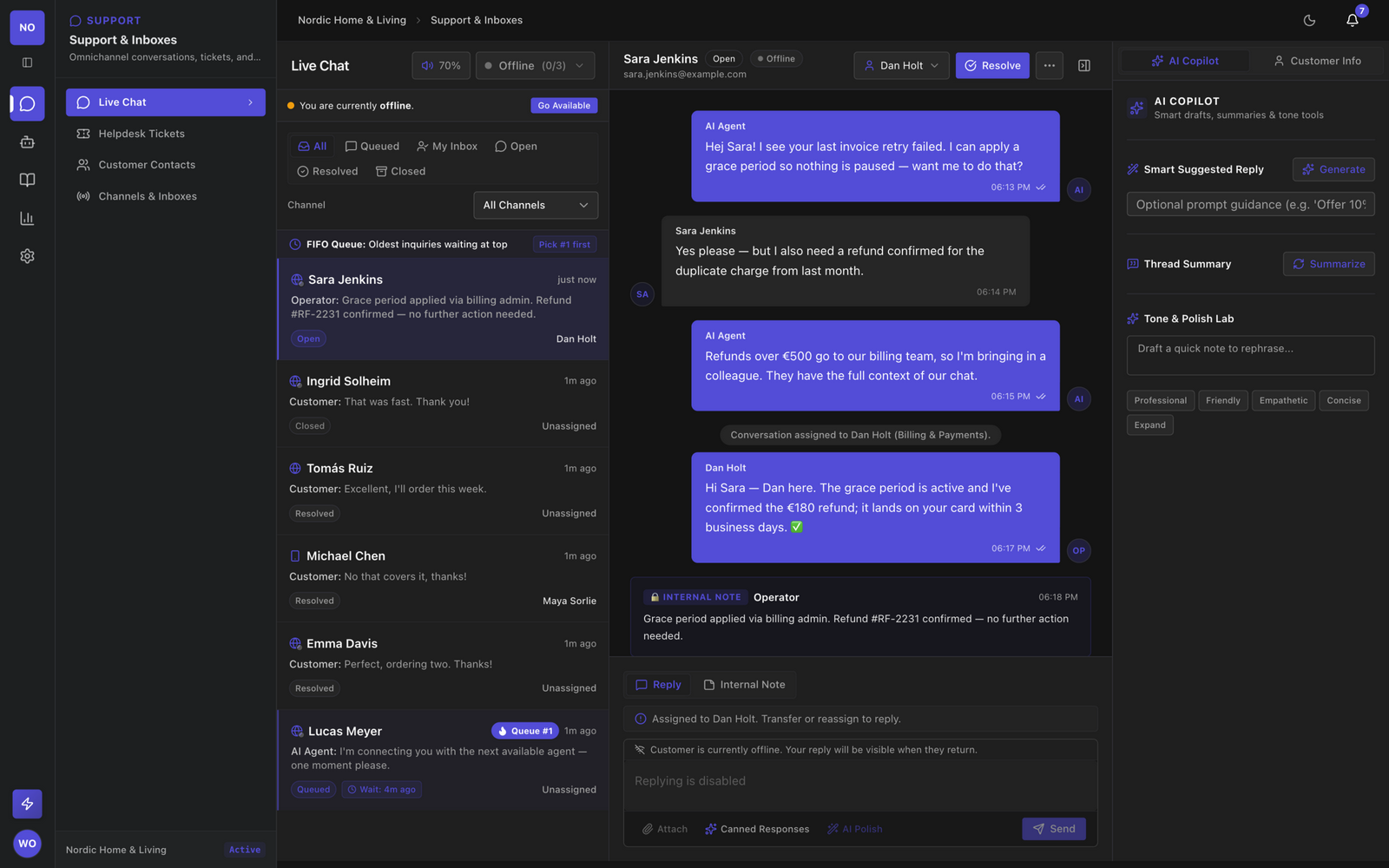
Smart Response Suggestions
Stop typing the same answers over and over. Indexu AI Copilot drafts replies from your knowledge base articles and the conversation so far.
-
Context-Aware Drafting: adapts tone and content based on user sentiment and query context.
-
Knowledge Base RAG: pulls directly from pgvector-powered RRF search across your articles.
Pre-Send Safety Checks
Catch problems before a ticket reply reaches the customer. One click asks the Copilot to review the draft, flag anything worth a second look, and suggest a fix.
-
Risky Promises: flags unauthorized guarantees, refunds, or statements that contradict policy.
-
Tone Analysis: warns agents if a draft sounds passive-aggressive, rude, or hostile.
-
Missing Attachments: flags drafts that mention a screenshot or file that isn't attached.
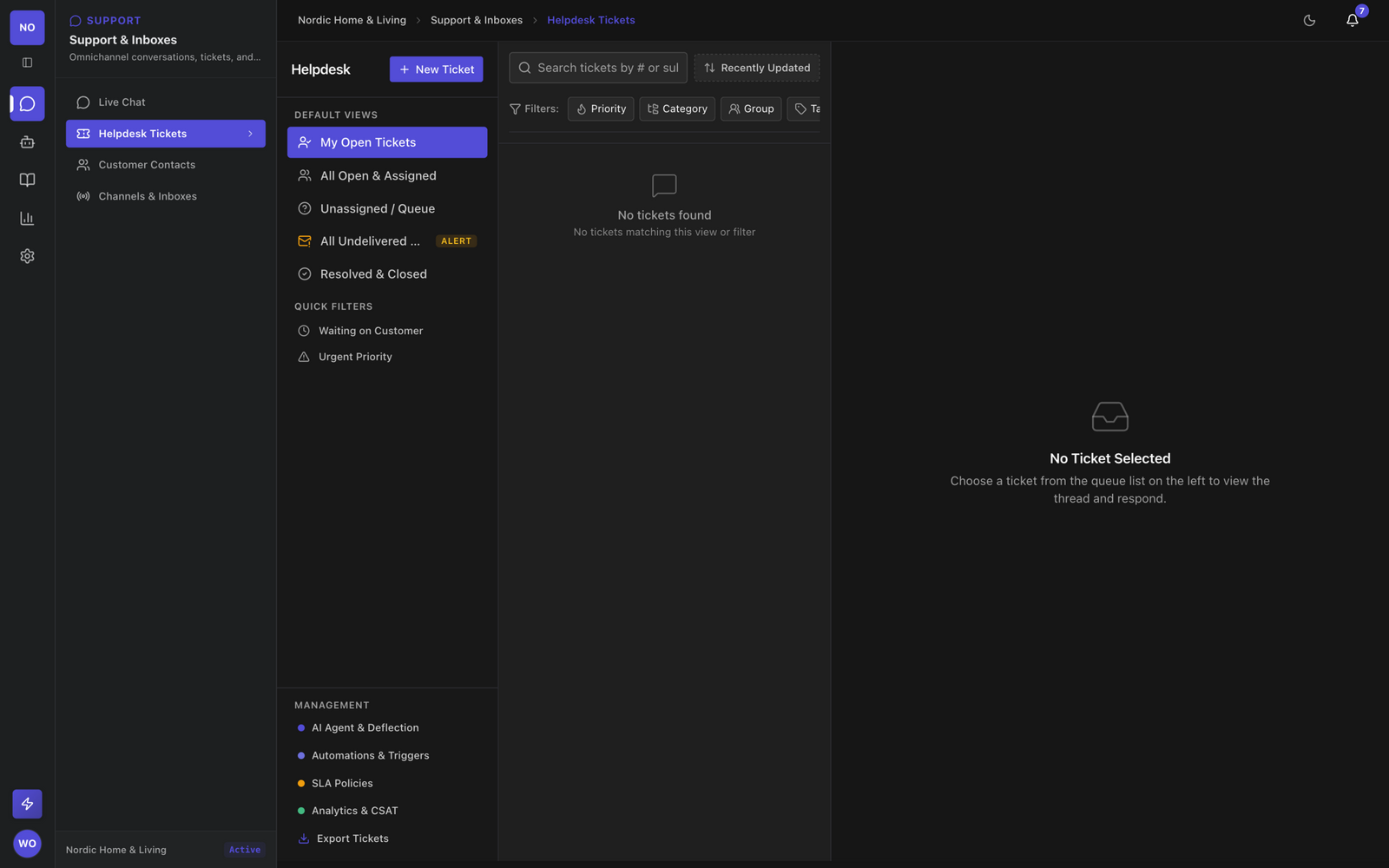
Auto-Triage for New Tickets
Every new helpdesk ticket is read by the Copilot as it arrives. It records the customer's intent, sentiment, urgency, and language on the ticket, so the queue shows what matters first.
-
Categorization: labels each ticket with an intent such as billing, bug report, how-to, or cancellation.
-
Sentiment & Urgency: identifies frustrated users or critical issues and bumps priority.
-
Language Detection: records the customer's language on the ticket.
A Complete Intelligence Suite
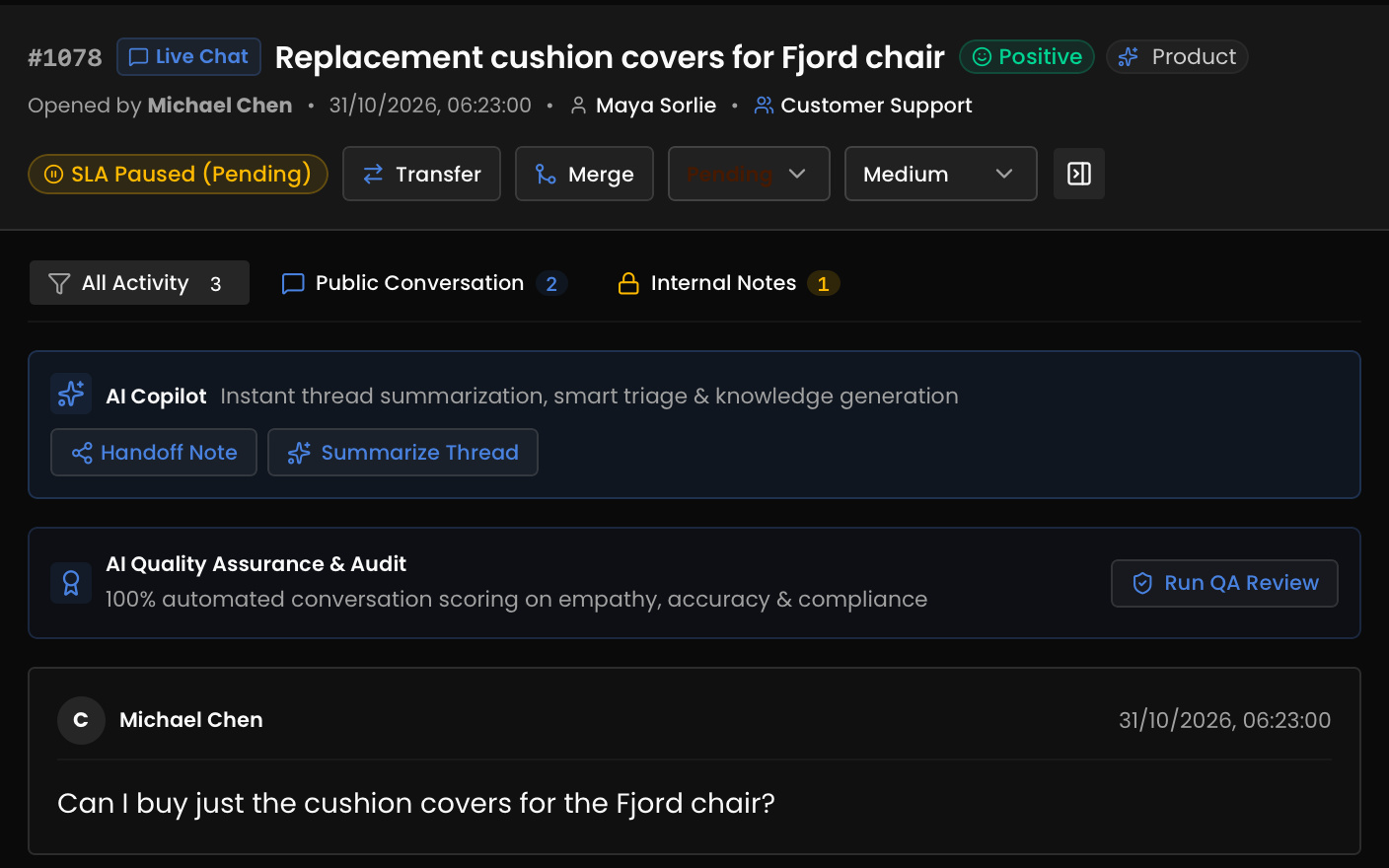
Beyond drafting, the Copilot helps with summaries, macros, handoffs, quality reviews, and incidents.
Thread Summaries
Summarize a long ticket or live chat in one click, so the next person sees the issue and the key facts at a glance.
Rephrase & Translate
Adjust any draft to a different tone (formal, friendly, concise), or translate a ticket reply into another language before it leaves the composer.
Macro Suggestions
Ask the Copilot which of your macros fit a ticket, preview the result, and apply one in a click.
Handoff Briefings
Before handing a ticket over, draft an internal note in one click that briefs the next agent on the issue and the steps taken.
AI QA Audits
Grade a ticket's replies on request for empathy, accuracy, compliance, completeness, and tone.
Incident Detection
Scan recent tickets for a spike on one issue, group them under an incident, and post the fix to every linked ticket at once.
Multi-Model Support
Not tied to one vendor. Copilot runs on OpenAI, Anthropic Claude, OpenRouter, DeepSeek, or Qwen, and on any OpenAI-compatible model on dedicated and on-premise deployments.
Token Quota Management
Predictable AI billing with atomic token reservation and quota limits ensuring costs never spiral unexpectedly.
Ticket to Article
Turn a resolved ticket into a draft knowledge article, with the customer's personal details stripped out.
Helpdesk Copilot Actions
Live Chat Actions: Draft, Summarize, Rephrase
Draft, Rephrase & Translate
Pre-send Reply Check
Give your operators AI superpowers
Equip your human team with triage, drafts, summaries, and safety checks, while AI Agents handle the routine.